
Images in TAVO: the fastest way
The Shark Image plugin describes the scene itself, takes the characters’ look from their cards and draws with NovelAI. All you provide is one address with your key.
No card needed: 3 NovelAI images and 3 on Qwen-Image and FLUX, valid 7 days. The key appears here and in Telegram.
What you need
- TAVO with a chat where you already talk to a character.
- An AniworldAI key. No key yet? Get a trial with the button above: it is free and needs no card.
- Three minutes.
First, copy your address
Paste your key to get the address you will need in step 8.
The key is inserted right in your browser and is not sent anywhere; the browser remembers it so you do not paste it again. The key came in a DM from @novelai_bot; if you do not have it at hand, issue a new one in your account.
Nine steps
First, install the plugin
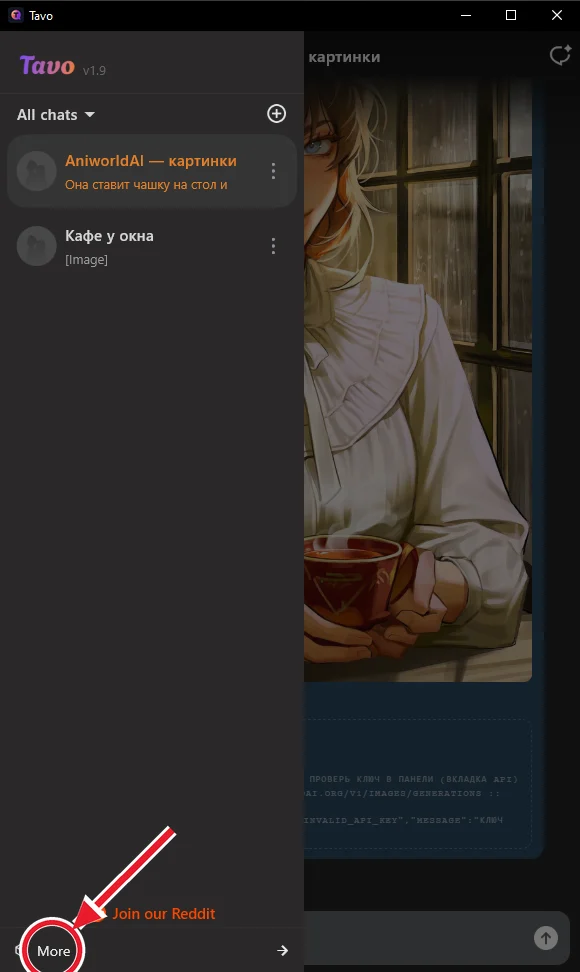
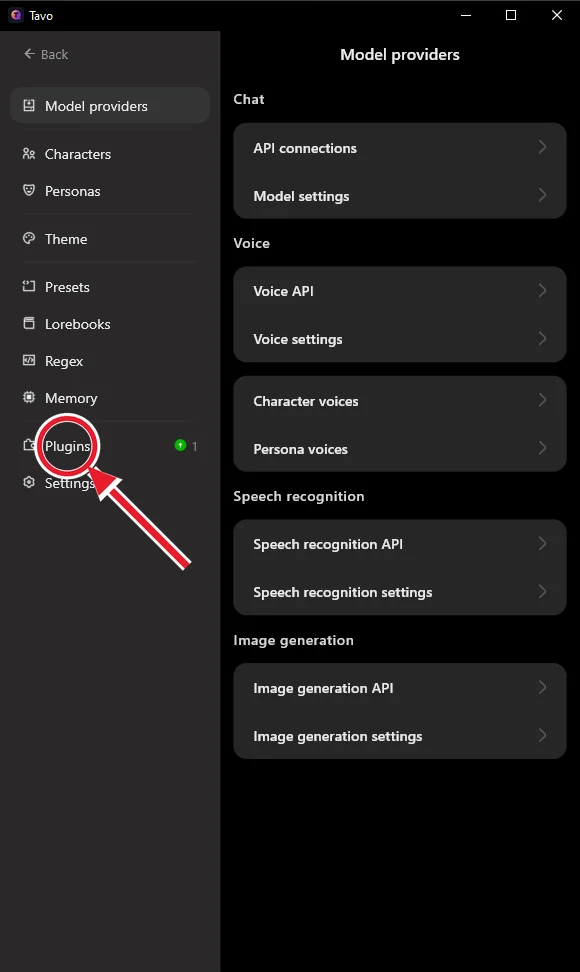
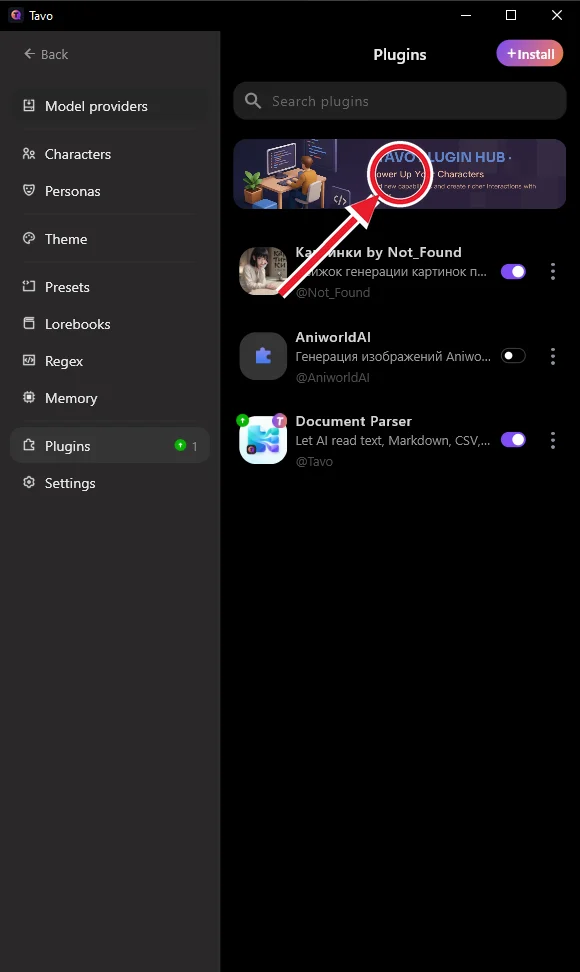
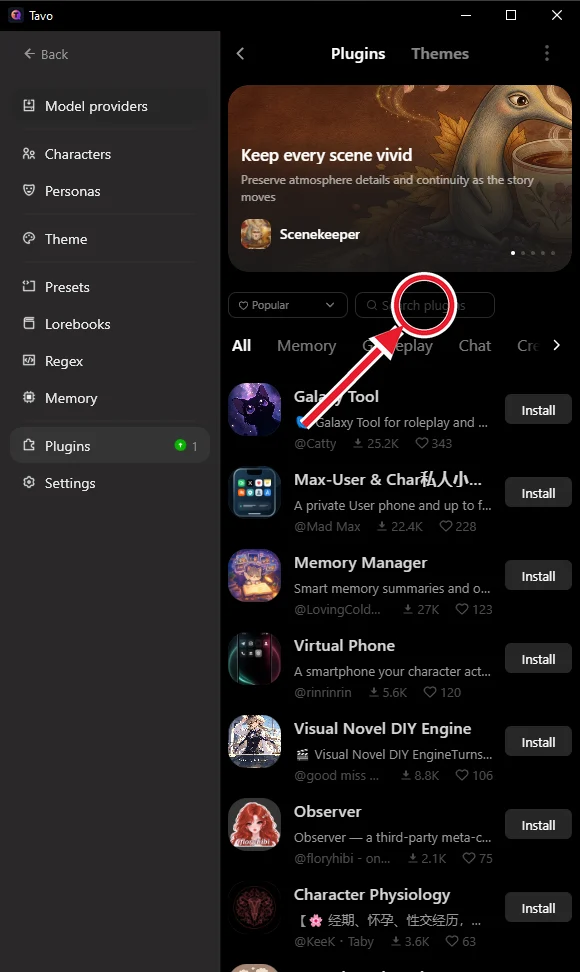
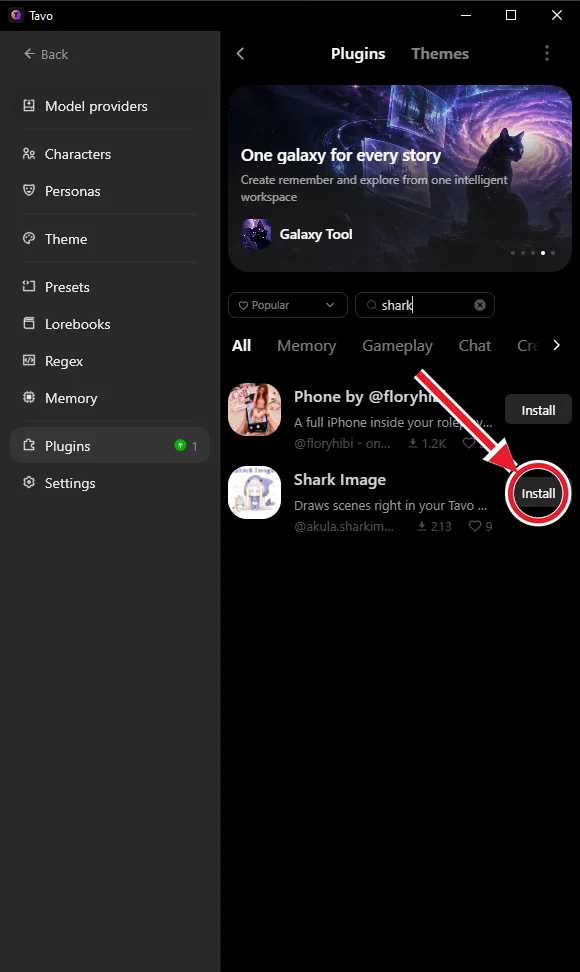
Now connect NovelAI
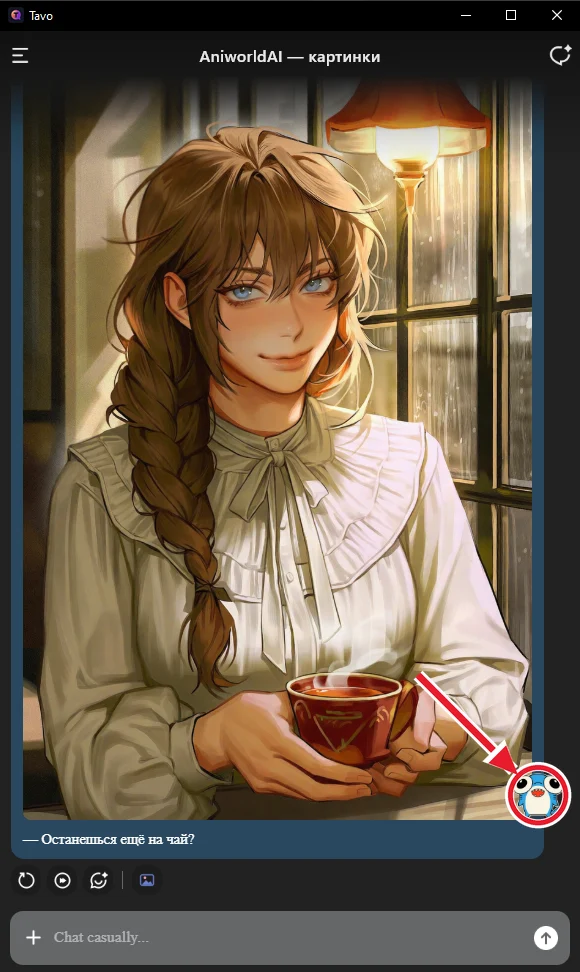
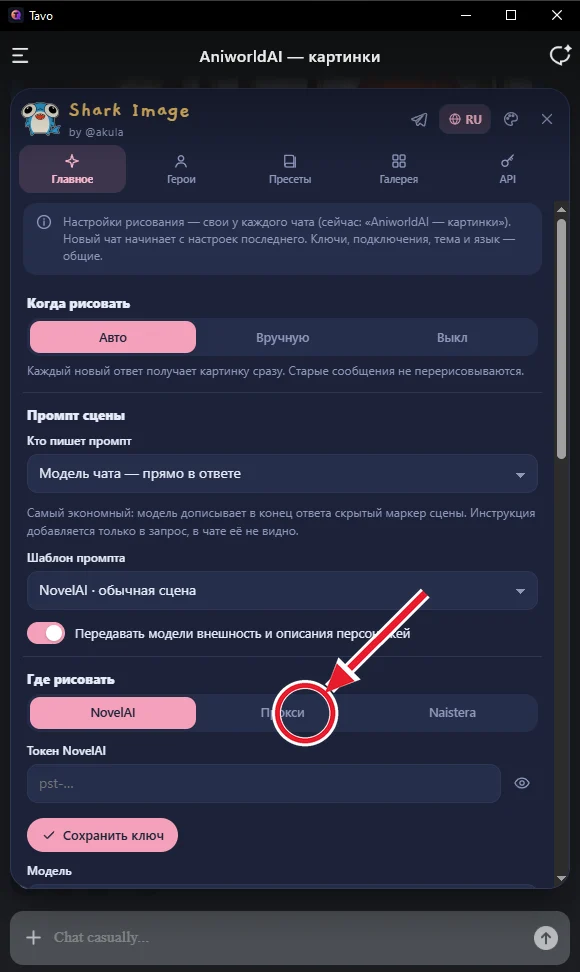
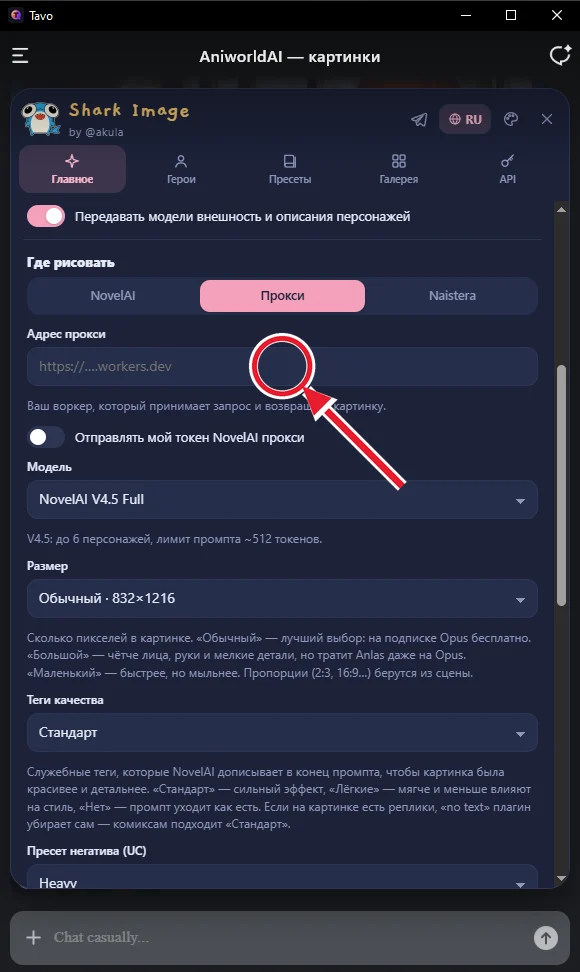
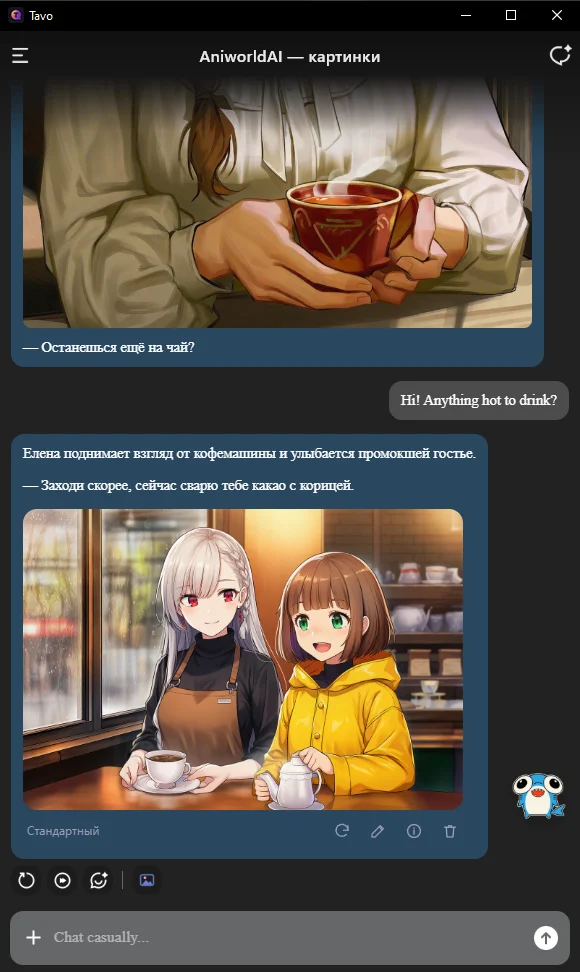
The plugin describes the scene itself and takes your character’s look and yours from the cards: no photos or manual descriptions needed.
The Shark Image plugin is made by Nastasia: her group · the plugin page in TAVO Hub.
Turn on one way only. Two at once, for example the plugin and the preset, give two images per message.
If something goes wrong
- “Ключ не подходит (401)”
- Check that the address is pasted in full, including the key after /shark/.
- There is no shark button in the chat
- Turn on Advanced Rendering: More → Settings.
- The character’s reply is short and there is no image
- Press “Нарисовать сцену” (Draw the scene) under the reply.
Other ways
- A preset with no plugins — if you do not want to install a plugin.
- An image on the /imagine command — if you want an image only when you ask, not in every reply.
- The look from avatars — if you have the “Images by Not_Found” plugin.
FAQ
Do I need my own NovelAI account?
No. An AniworldAI key is enough: it gives access to our NovelAI API, so you need no account and no Anlas.
Where does the plugin get the characters’ look?
From the character card and your persona in TAVO. No photos or manual descriptions are needed.
How much does it cost?
The trial key is free: 3 NovelAI images, no card. After that, a 30-day plan from 249 ₽.
Every use case, step by step
NovelAI API: Python, JavaScript and curl examples
For those who write code: URLs, examples in Python, JavaScript and curl, and the docs.
NovelAI in SillyTavern: setup with screenshots
Standard method and sillyimages: separate instructions, screenshots and copyable settings.
NovelAI in TAVO
TAVO’s built-in generator: API URL, key, models, your own style, image by link for presets and Smart expand.
NovelAI API pricing
Plus, Duke and Emperor for 30 days: how many NovelAI, Qwen-Image and FLUX images each includes, renewal and plan changes.
NovelAI from Russia: pay by SBP, no VPN
Pay by SBP, crypto or Telegram Stars, works without a VPN, no NovelAI account needed.
Characters’ look from avatars
The “Images by Not_Found” plugin for TAVO: how to take the characters’ look from avatars, one model and five steps.
Setup help
Answer one to three questions and get the guide for your case.
TAVO preset: an image in every reply
A preset in one click: the text model inserts an image into every reply itself, with no plugins.
NovelAI images in your roleplay chats
TAVO and SillyTavern. No VPN and no NovelAI account. Three images are free.